Class overview
Review reading activity and see who is participating regularly.
StoryBlast gives teachers a clear view of pupil participation, comprehension and literacy activity. Automated marking means the information is available without creating another pile of work.
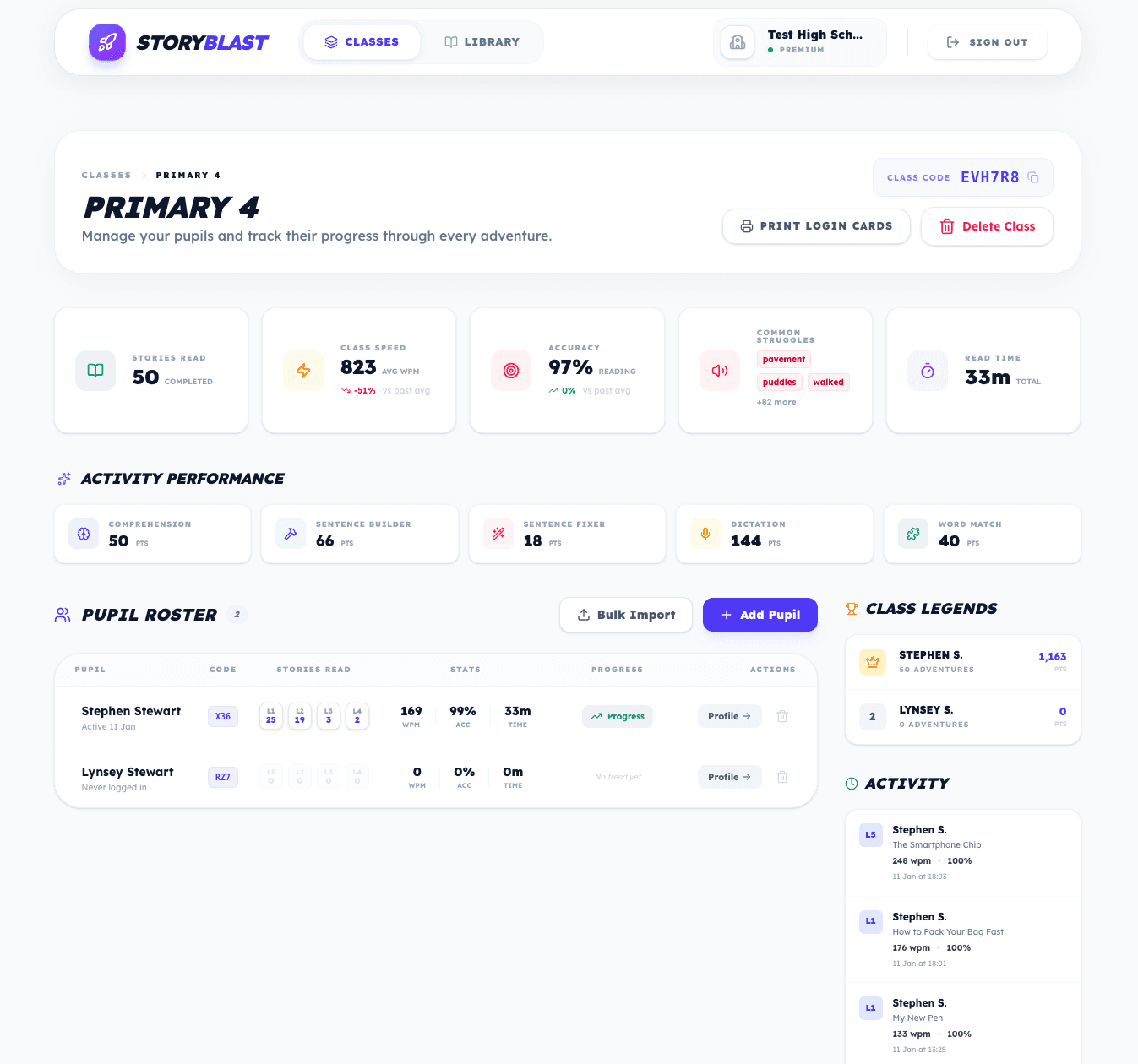
Create classes, add pupils and share a class code. Pupils do not need individual email addresses, making setup easier for schools and simpler for younger users.
Review reading activity and see who is participating regularly.
Open an individual profile to explore reading and activity over time.
Review answers connected to the stories pupils have read.
Review words-per-minute information produced by the supported reading experience.
See words pupils are finding difficult across reading activity.
Explore practice across spelling, vocabulary, grammar and sentence skills.
StoryBlast organises pupil activity in a way that can support conversations about engagement, understanding and next steps.
The information is intended to complement teacher knowledge, classroom work and any formal assessments used by the school.
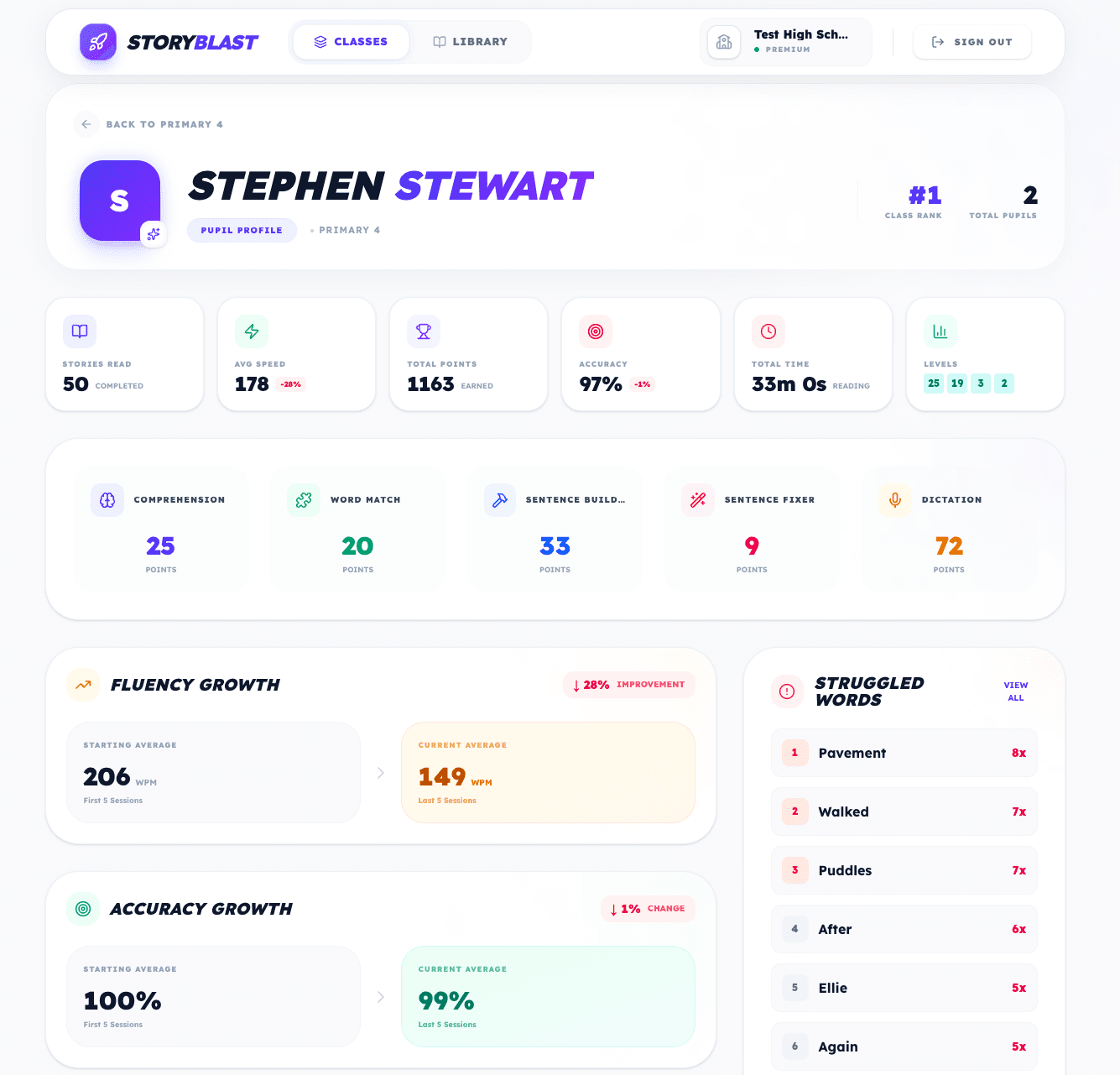
StoryBlast automatically marks pupil activities and organises the information in the teacher dashboard. Teachers can spend less time collecting results and more time deciding how to respond.
Yes. StoryBlast Pro includes unlimited classes and pupils for the school.
StoryBlast provides school and class views so authorised staff can review activity at the appropriate level.
No. Story missions and Literacy Labs activities are automatically marked.
No. StoryBlast provides useful activity information that should be considered alongside teacher knowledge and formal assessment.
Start a full-school trial and explore the StoryBlast teacher experience.